Don't start with AI agents. Start here.
|
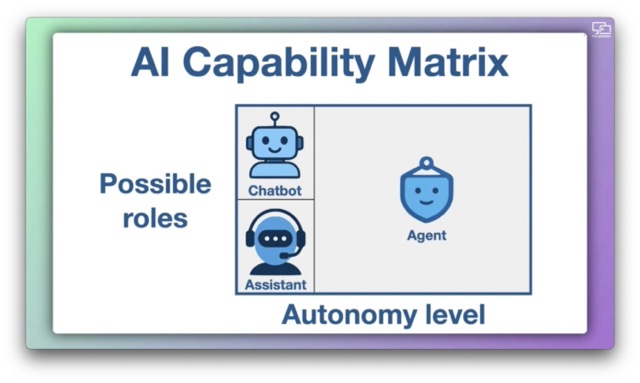
Hello Reader,, I watched someone spend 25 minutes in the terminal setting up an AI agent, only to get results Gemini's Deep Research would have beaten for free. I built a framework to cut through the AI confusion. I call it the AI Capability Matrix.
It maps AI tools across two axes:
Those two dimensions reveal three distinct categories: chatbots, assistants, and agents. Why This MattersLLMs are simulators, not thinkers. Claude, ChatGPT, and Gemini predict plausible responses, they do not understand or reason. Forgetting this is where costly mistakes begin. As solopreneurs, jumping straight to agents is the most expensive mistake you can make right now. Agents are harder to configure, consume far more tokens, and their autonomy increases both risk and attack surface. The AI Capability Matrix: What It Actually Tells You
Pro TipClaude desktop is the only AI desktop app that covers all three capability levels AND still runs on Intel Macs and pre-Sequoia macOS. It also gives you granular permission controls per connector: set read actions to always allow, and require approval (or block entirely) for any write or create action. Three levels: always allow, ask each time, never allow. Want to Dive Deeper?👉 Access the complete show notes and video version of episode #172 Cheers, Damien |